How to Scrape Products from eCommerce Websites
A practical guide to scraping eCommerce product data — from DIY scrapers and headless browsers, to comparing commercial scraping platforms, to using a purpose-built product API.
3/16/2026
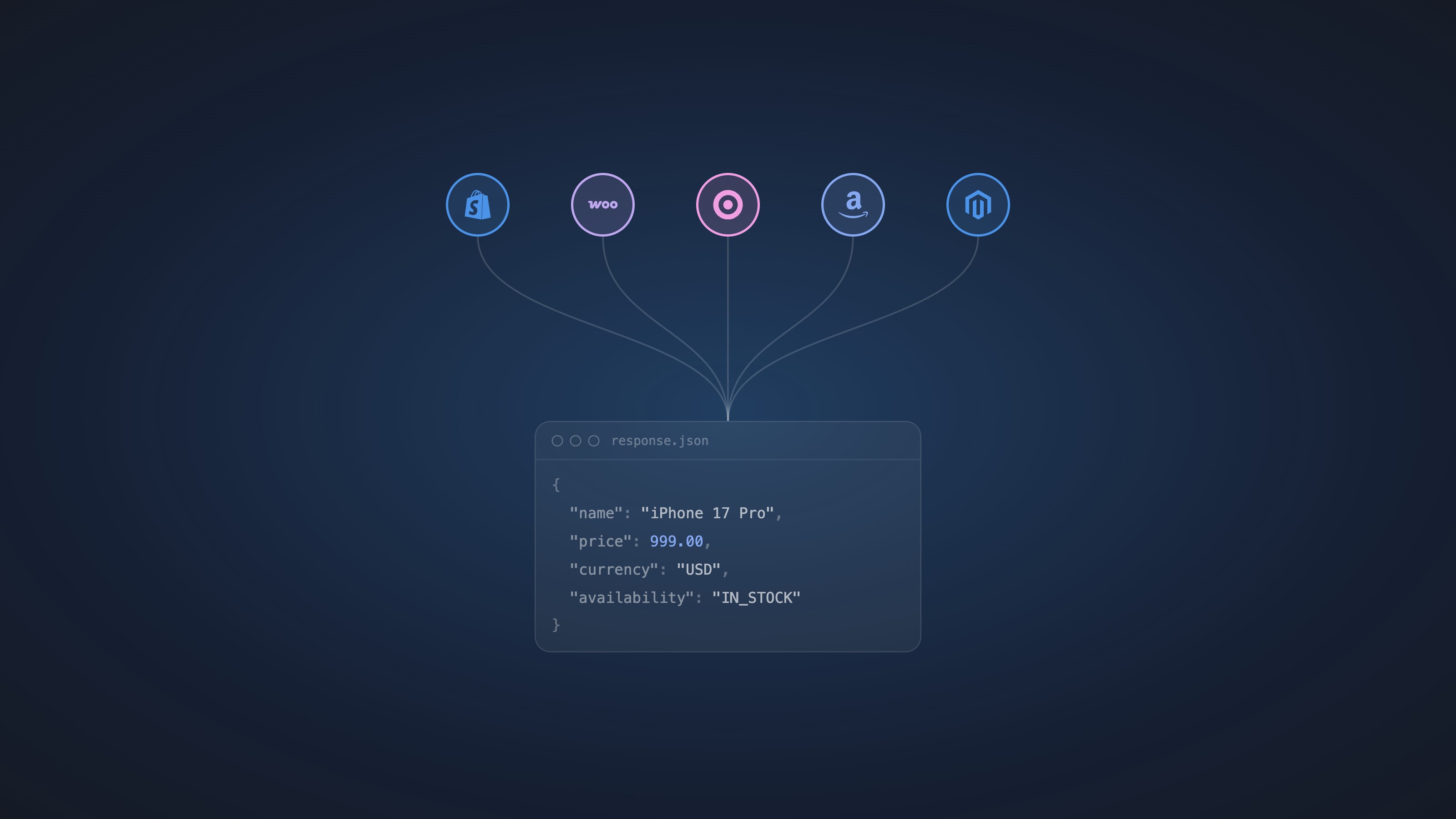
Why Scrape eCommerce Product Data?
Product data from eCommerce websites powers a wide range of real-world applications: competitive price monitoring, dynamic pricing engines, catalog enrichment, product comparison tools, and market research. Businesses that rely on knowing what competitors charge, when products go out of stock, or how product assortments change over time need a reliable way to collect that data at scale.
The core problem is straightforward — you want structured product information from a product URL. The execution is where things get complicated.
Starting Simple: CSS Selectors and HTML Parsing
For static pages or sites that render HTML server-side, HTML parsers like BeautifulSoup (Python) or Cheerio (Node.js) are a reasonable starting point. The key challenge is identifying which CSS selectors correspond to the product data you want.
Open the target product page in your browser, right-click the element — the product title, price, stock badge — and choose Inspect. In DevTools, look for stable, semantic selectors rather than auto-generated class names. Good signals:
- Product name: usually in an
h1, often with a class like.product-title,.product-name, or adata-testidattribute - Price: look for
[itemprop="price"],meta[property="product:price:amount"], or aspanwith a price-related class. Many stores embed prices in<script type="application/ld+json">as structured data — this is often the most reliable extraction target - Stock status: check for elements like
[data-availability],.in-stock,.sold-out, or text content inside a badge element - Variants: often rendered as
<select>dropdowns,<button>swatches, or hidden<input>fields — each may carrydata-variant-id,data-price, ordata-availableattributes you can read directly
A simple extraction using BeautifulSoup might look like this:
import requests, json
from bs4 import BeautifulSoup

response = requests.get("https://example-store.com/products/widget",
                        headers={"User-Agent": "Mozilla/5.0"})
soup = BeautifulSoup(response.text, "html.parser")

# Prefer structured data when available
ld_json = soup.find("script", type="application/ld+json")
if ld_json:
    data = json.loads(ld_json.string)
    print(data.get("name"), data.get("offers", {}).get("price"))
else:
    # Fall back to CSS selectors
    name  = soup.select_one("h1.product-title")
    price = soup.select_one("[itemprop='price']")
    print(name.text.strip(), price["content"])
This works fine for simple, static pages. But most modern eCommerce sites are built with JavaScript frameworks — React, Vue, Next.js, Shopify Hydrogen — which means the product price and stock status may not exist in the initial HTML at all.
Handling JavaScript: Playwright
Playwright launches a real browser, executes JavaScript, and lets you scrape the fully rendered DOM.
from playwright.sync_api import sync_playwright

with sync_playwright() as p:
    browser = p.chromium.launch()
    page = browser.new_page()
    page.goto("https://example-store.com/products/widget",
               wait_until="networkidle")

    name  = page.inner_text("h1.product-title")
    price = page.get_attribute("[itemprop='price']", "content")

    # Capture all variant buttons and their data attributes
    variants = page.query_selector_all("button[data-variant-id]")
    for v in variants:
        print(v.get_attribute("data-variant-id"),
              v.get_attribute("data-price"),
              v.get_attribute("data-available"))

    browser.close()
With a headless browser you can also intercept network requests — many Shopify and BigCommerce stores load variant pricing from a /products/<handle>.js endpoint, which returns clean JSON far easier to parse than the rendered DOM.
Playwright solves the JavaScript rendering problem, but it introduces new ones: browser overhead makes it slow and expensive to run at scale, and anti-bot systems are specifically designed to detect headless browsers.
Discovering Product URLs: Cloudflare's Crawl API
Before you can scrape product data, you need a list of product URLs. Manually assembling one is tedious — a large store may have thousands of products spread across dozens of category pages.
Cloudflare's Browser Rendering REST API includes a /crawl endpoint that automates this. Give it a starting URL and it follows links across the site, returning discovered URLs along with their content in HTML, Markdown, or JSON.
# Start a crawl job
curl -X POST \
  "https://api.cloudflare.com/client/v4/accounts/<account_id>/browser-rendering/crawl" \
  -H "Authorization: Bearer <api_token>" \
  -H "Content-Type: application/json" \
  -d '{
    "url": "https://example-store.com",
    "limit": 500,
    "formats": ["markdown"],
    "options": {
      "includePatterns": ["*/products/*"]
    }
  }'

# Poll for results using the returned job ID
curl "https://api.cloudflare.com/client/v4/accounts/<account_id>/browser-rendering/crawl/<job_id>" \
  -H "Authorization: Bearer <api_token>"
The crawl runs as an async job — you POST to start it and get a job ID back, then poll until the status is completed. Key parameters:
limit— max pages to crawl, up to 100,000depth— how many link-hops from the starting URLsource—linksfollows href links,sitemapsreads the sitemap,alldoes bothoptions.includePatterns— wildcard filters to restrict crawling to URL patterns like*/products/*or*/p/*render— set totrueto execute JavaScript before discovering links (important for stores with client-side navigation)
The response gives you per-URL records with HTTP status, title, canonical URL, and the page content in whichever formats you requested. From there you filter for product page URLs — typically anything matching your store's product URL pattern — and feed that list into your scraper.
This makes the Cloudflare crawler a practical first step in a pipeline: crawl to discover URLs, then scrape each product URL for structured data. One limitation to be aware of: the crawler respects robots.txt and uses the user-agent CloudflareBrowserRenderingCrawler/1.0, so sites that block crawlers will resist it just as they would any other bot.
Using an AI Coding Agent to Build and Iterate
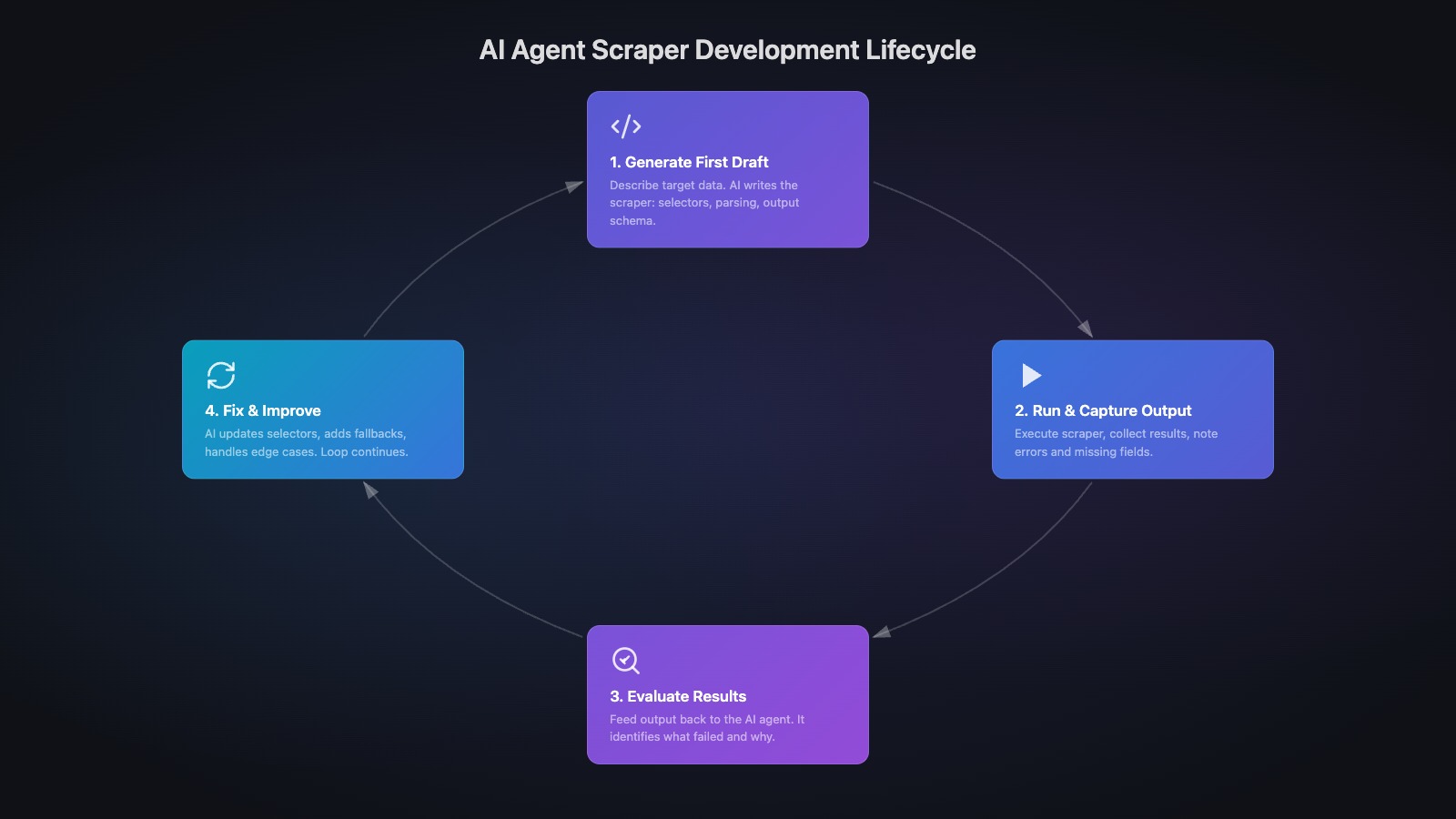
AI coding agents like Claude Code, Cursor, or GitHub Copilot change how scraper development works. Instead of manually inspecting DevTools and writing selectors by hand, you can work in a tight feedback loop:
- Generate a first draft — paste the target URL and ask the agent to write a scraper that extracts name, price, variants, and stock status.
- Run it and capture the output — pipe the raw results back to the agent: the extracted values, any
Noneresults, any exceptions. - Ask it to analyze and fix — the agent identifies which selectors missed, proposes better ones based on the HTML structure, and rewrites the relevant sections.
- Repeat — run again, spot remaining gaps, ask the agent to iterate.
This loop typically reaches a working scraper in a handful of cycles. The agent handles the tedious selector archaeology — inspecting deeply nested elements, finding the right data-* attributes, switching to structured data fallbacks — while you focus on evaluating the output quality.
The same loop works for improving coverage: if variants aren't being captured, paste the relevant HTML fragment and ask the agent why the current selector misses them. It can also suggest defensive patterns — checking for multiple selector fallbacks, handling currency formatting variations, normalizing stock text like "Only 3 left" into a boolean.
The limitation is the same as doing it manually: every selector is still a brittle dependency on the current layout of one specific store.
Where DIY Scrapers Break Down
Building a scraper that works once is easy. Building one that works reliably, at scale, across hundreds of different stores is a different problem entirely.
Anti-bot protections — Cloudflare, DataDome, PerimeterX, and others actively fingerprint and block scrapers. Headless browsers are detected. IP rotation is required. Maintaining bypass logic is an ongoing arms race.
Site layout changes — Custom CSS selectors and XPath queries break whenever a site redesigns or A/B tests a new layout. Every selector is tech debt.
Product variations — A product page for a shoe might have 50 combinations of size and color, each with its own price and stock state. Extracting that structured data from JavaScript-rendered selectors is significantly harder than grabbing a headline price.
Scale — Scraping thousands of URLs per day requires proxy infrastructure, request queuing, retry logic, and rate limit management.
Commercial Scraping Platforms: Apify, Bright Data, Oxylabs
If you need more than a weekend project, commercial platforms handle the infrastructure layer.
Apify is a scraping cloud and marketplace. You can write custom scrapers (called Actors) or use pre-built ones from their marketplace. Flexible, but still requires writing and maintaining custom extraction logic for each target site.
Bright Data (formerly Luminati) goes beyond just proxies. In addition to its residential and datacenter IP network, Bright Data offers ready-made datasets for specific domains — pre-scraped Amazon, Walmart, and other major retailer product data you can purchase directly. They also provide domain-specific scraper APIs for sites like Amazon and eBay that return structured results, and an AI-powered scraper builder that helps you construct custom scrapers for any site. It's a comprehensive platform — but getting a custom domain scraper working still requires meaningful setup time: configuring the scraper, mapping output fields, testing against layout variations, and maintaining it when the site changes.
Oxylabs offers a similar combination: residential and datacenter proxies plus a Scraper API that returns raw HTML or parsed results for specific site types. Well-suited for large-scale raw data collection.
| Platform | Focus | Product Data | Pricing Model |
|---|---|---|---|
| Apify | General scraping platform | Custom logic required | Usage-based |
| Bright Data | Proxy network + datasets + AI scraper builder | Domain-specific scrapers + pre-built datasets | Bandwidth + usage |
| Oxylabs | Proxy network + scraper API | Raw HTML or parsed | Bandwidth-based |
These platforms solve real infrastructure problems — anti-bot bypass, IP rotation, scale — and Bright Data in particular has invested heavily in domain-specific tooling and datasets. But the common thread is that getting structured product data from an arbitrary eCommerce URL still requires configuring, mapping, and maintaining extraction logic for each target. When you need broad coverage across many stores rather than deep coverage of one specific retailer, that setup cost adds up.
A Different Approach: Purpose-Built Product Scraping
General scraping infrastructure and purpose-built product data are different products.
felid.io is built around a single assumption: when you're scraping eCommerce, the data structure you care about is almost always the same — product name, brand, price, variants, and stock status. Rather than asking you to configure a scraper for each store, felid.io handles extraction internally and always returns that same normalized structure. No setup, no field mapping, no maintenance when a site changes its layout. You send a URL from any store, you get back the same clean product model.
POST /v1/products/scrape
{
  "url": "https://store.com/product/running-shoe"
}
{
  "productType": "VARIABLE",
  "name": "Air Max 90",
  "brand": "Nike",
  "currency": "USD",
  "variations": [
    {
      "attributes": { "color": "Black", "size": "10" },
      "price": 120,
      "inStock": true
    },
    {
      "attributes": { "color": "White", "size": "10" },
      "price": 120,
      "inStock": false
    }
  ]
}
JavaScript rendering, anti-bot handling, retry logic, and variation extraction are handled internally. The output is always the same normalized structure, regardless of what platform the store runs on.
felid.io also offers a /monitor endpoint — send a URL once, and the service handles scheduling, change detection, and alerting automatically. No cron jobs, no scraper maintenance, no custom selectors to break.
Which Approach Fits Your Use Case?
BeautifulSoup / Playwright — Good for one-off scripts, small-scale personal projects, or sites you control. Not suitable for production use across many stores.
Apify / Bright Data / Oxylabs — Good when you need raw HTML at scale, have complex custom extraction requirements, need enterprise proxy infrastructure, or want to purchase pre-built datasets for major retailers. Bright Data's AI scraper builder is powerful, but budget time for setup and maintenance.
felid.io — Good when you want the core eCommerce intelligence points — name, price, variants, stock status — from any store, without configuring or maintaining anything. The API is designed to be the zero-setup data layer for price monitoring systems, catalog tools, and competitor intelligence pipelines.
If you're building something that needs to know what products competitors sell and what they charge for them, the bottleneck isn't usually the HTTP request — it's getting clean, structured, variation-level product data reliably at scale. That's the problem felid.io is built to solve.